| Step |
Action |
| 1 |
Go to Intel Web PO.
|
| 2 |
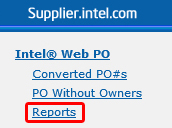
Click Reports tab.
|
|
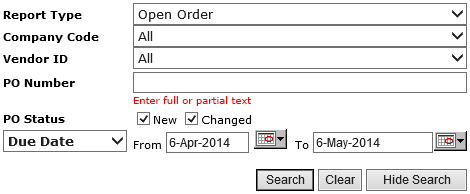
Result:The PO Report page will be displayed.
|
| 3 |
Click on the drop down arrow.

|
|
Note:Open Order is the default report.
|
| 4 |
Select the report type.
|
Note:
| Report Type |
Remark |
| Open Order Report |
- Shows all pending and active orders.
- Including any past due orders.
|
| Past Due Report |
- Shows only those orders that are still active and have gone beyond the due date established on the PO.
|
| Supplier Requests History |
- Shows all Supplier responses to specified PO fields or values.
- Contain the responses history for a rolling 6-months period.
|
|
| 5 |
Enter the rest of the search criteria.
|
| 6 |
Click Search button.

|
|
Result:The matching PO records will be generated.
|