|
|
| Supplier Registration Self Help | |
| Browse through the navigation panel for the information you are interested in. | ||||||

|

|
|
|
|||

| Standard Registration/Web Suite | Web Suite Lite |
|
|
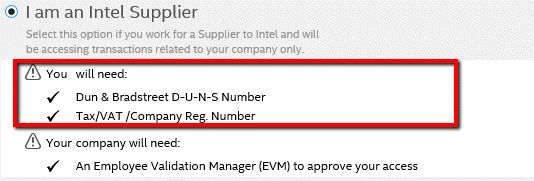
Registration requirements:
|
Registration requirements:
|
| Step | Action |
| 1 |
Go to supplier.intel.com.
|
| 2 |
Click Register.
|
| Result: The Registration page is displayed. | |
| 3 | Select I am an Intel Supplier option. |
|
Note: It is advisable for applicant to prepare the necessary information beforehand.
|
|
| 4 | Click Next. |
| Result: The Overview page is displayed. | |
| Note: It is advisable to read through the registration process guide. | |
| 5 | Click Begin. |
| Result: The Application Access page is displayed. | |
| 6 |
Select the check box next to the application you need to have access to. Notes:
|
| 7 | Click Next. |
| Result: The Account Information page is displayed | |
| 8 |
Enter Account Information. Notes:
|
| 9 | Click Next. |
| Result: Your request will be routed to your company’s Employee Validation Manager (EVM) for approval. |