- A critical security role responsible for managing each supplier’s user accounts, and their access to confidential data
- Each supplier must identify at least ONE (1) EVM to manage its users
- EVM’s Revalidation must be completed every SIX (6) months
- All users for that supplier will lose their access until a new EVM is identified
- To manage their own users for Intel SPS’s Standard Registration (full access) accounts
- To be able to control access to confidential data
- To grant or revoke account and/or application access based on their own users’ employment and/or job role changes
- To revalidate a user’s application access every THREE (3) months
| Step | Action |
| 1 |
Go to Supplier.intel.com

|
| 2 |
Click Register  button. button.
|
Result: The Registration page will be displayed.

|
|
| 3 |
Click Manage my Account button.
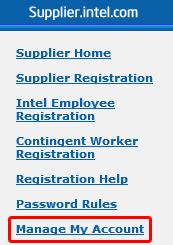
|
| 4 | Enter your Log in ID and password. |
| 5 |
Click Submit  button. button.
|
| Result: The Manage my Account page will be displayed. | |
| 6 |
Click View Company EVM button.
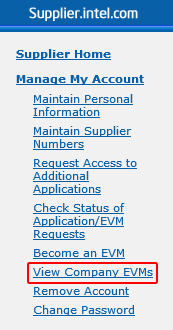
|
| Result: The EVM Result page will be displayed. | |
| 7 |
Select the check box next to the EVM you want to send a message to.
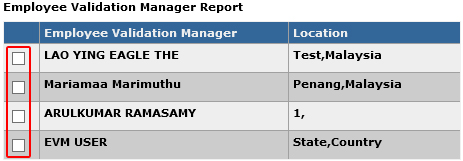
|
| 8 |
Write your message in the text box provided.
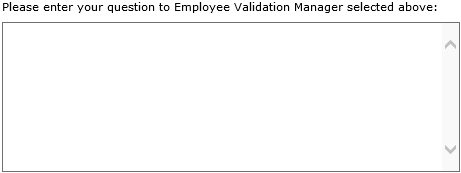
|
| 9 |
Click Submit my Question  button. button.
|
Result: Your enquiries will be mailed over to the respective EVM.

|