| How do I become an EVM? |
| Step |
Action |
| 1 |
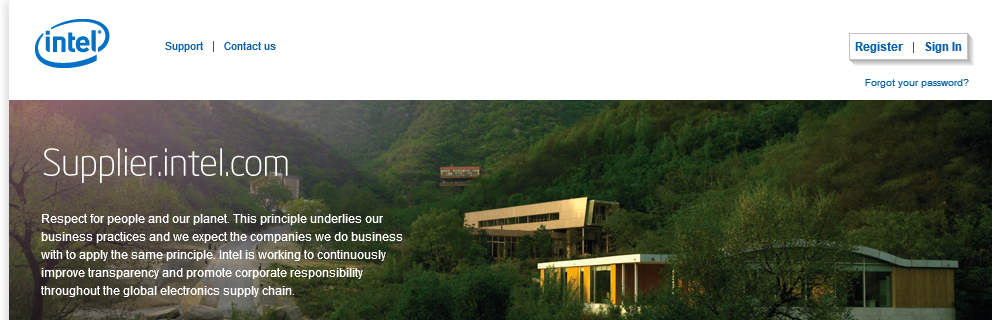
Go to Supplier.intel.com
|
| 2 |
Click Register  button. button.
|
Result: The Registration page will be displayed.

|
| 3 |
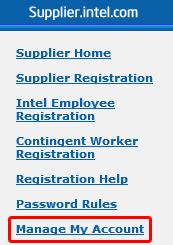
Click Manage my Account button.
|
| 4 |
Enter your User ID and password.
|
| 5 |
Click Submit  button. button.
|
|
Result: The Manage my Account page will be displayed.
|
| 6 |
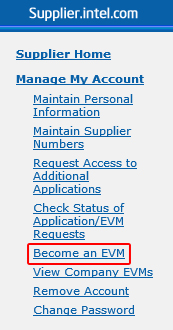
Click Become an EVM button.
|
| 7 |
Click I Accept button.

|
| 8 |
Enter e-mail address for your Intel contact.

|
| 9 |
Click Send Email  button. button.
|
|
Result: You may call or e-mail your Intel contact to approve your EVM request.
|
|
|
| What are the roles and responsibilities of an EVM? |
- Approving or rejecting new user requests for access to applications on Supplier.intel.com
- Revoking user access when accounts are no longer needed or wanted
- Quarterly audits to ensure that user lists are up to date (also known as User Revalidation)
- Re-applying for the EVM role every six months (also known as EVM Revalidation)
|
|
| How can I contact my EVM to revalidate or approve my account? |
| Step |
Action |
| 1 |
Go to Supplier.intel.com
|
| 2 |
Click Register button.
|
Result: The Registration page will be displayed.
|
| 3 |
Click Manage my Account button.
|
| 4 |
Enter your User ID and password.
|
| 5 |
Click Sign In.
|
|
Result: The Manage my Account page will be displayed.
|
| 6 |
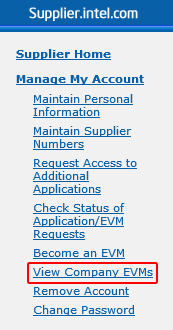
Click View Company EVM button.
|
|
Result: The EVM Result page will be displayed.
|
| 7 |
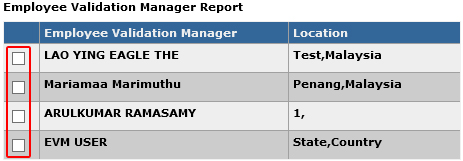
Select the check box next to the EVM you want to send a message to.
|
| 8 |
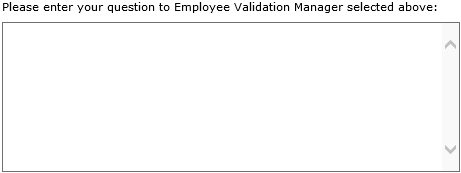
Write your message in the text box provided.
|
| 9 |
Click Submit my Question  button. button.
|
Result: Your enquiries will be mailed over to the respective EVM.

|
|
|
| How do I check the status of my Application or EVM Request? |
| Step |
Action |
| 1 |
Go to Supplier.intel.com
|
| 2 |
Click Register button.
|
Result: The Registration page will be displayed.
|
| 3 |
Click Manage my Account button.
|
| 4 |
Enter your User ID and password.
|
| 5 |
Click Sign In button.
|
|
Result: The Manage my Account page will be displayed.
|
| 6 |
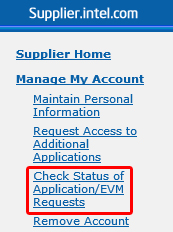
Click Check Status of Application/EVM Requests button.
|
| 7 |
Result: Result: The date and status of your request will be displayed.
| Status |
Remark |
Pending EVM Approval |
- Awaiting validation from your company’s EVM
- It is advisable to send e-mail reminder, just in case
|
Pending Intel Approval |
- Awaiting validation from Intel
- Confirmation e-mail will be sent between 3-5 business days from the date of EVM approval
|
Rejected |
- The reason will be stated in the Comment column
|
Pending Request |
- Only applies for request to become an EVM
- Intel contact will need to approve the request
|
|
|