- A critical security role responsible for managing each supplier’s user accounts, and their access to confidential data.
- Each supplier must identify at least ONE (1) EVM to manage its users.
- EVM’s Revalidation must be completed every SIX (6) months.
- All users for that supplier will lose their access until a new EVM is identified.
- Approving or rejecting new user requests for access to applications on supplier.intel.com.
- Revoking user access when accounts are no longer needed or wanted.
- Quarterly audits to ensure that user lists are up to date (also known as User Revalidation).
- Re-applying for the EVM role every six months (also known as EVM Revalidation).
| Step |
Action |
| 1 |
Go to supplier.intel.com.
|
| 2 |
Click Sign In > enter your User ID and Password > click Sign In.
|
|
Result: The Supplier Information page is displayed.
|
| 3 |
Click Account > Become an EVM.

|
|
Result: The Become an Employee Validation Manager page is displayed.
|
| 4 |
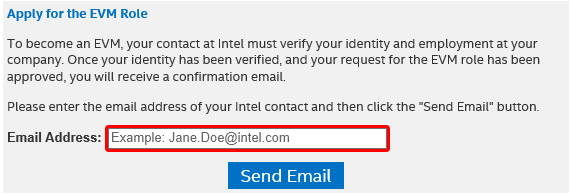
Go to Apply for the EVM Role section.
|
| 5 |
Enter email address of your Intel contact.
|
| 6 |
Click Send Email.
|
|
Note: You may call or e-mail your Intel contact to approve your EVM request.
|
| Step |
Action |
| 1 |
Go to supplier.intel.com.
|
| 2 |
Click Sign In > enter your User ID and Password > click Sign In.
|
|
Result: The Supplier Information page is displayed.
|
| 3 |
Click Account > View and Contact Company EVMs.

|
|
Result: The View and Contact Company EVMs page is displayed..
|