Expedite Parts -> Shipment
History
This
displays all types of expedite order shipments (Unacknowledged, On Hold, Not
Shipped to Intel, Partially Shipped, Shipped but not received at Intel, Shipped
and Received at Intel and Cancelled).
1. Provide your search criteria.

a. Selection of Supplier & Status is
mandatory to Search.
b. From & To Dates are mandatory to
enter only when Status is selected as one of these (Shipped and Received at Intel, Partially Shipped to Intel,
Cancelled, and All Transactions) and
when SIMI# (or) Expedite Order# (or) SPN (or) IPN not provided.
2. After you provided the search
criteria’s, click on Search button to view expedite order shipments on screen,
else click on Export to Excel button to export them to excel.

3. Search Results are shown as
below.
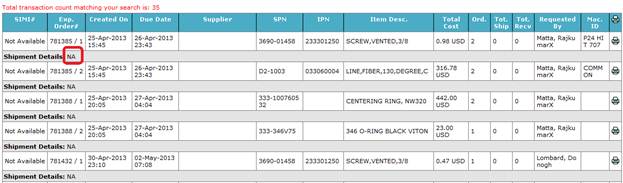
a. If status is one of these (Unacknowledged, On Hold, Not Shipped
to Intel & Cancelled), no
shipment details are available, so shown NA.
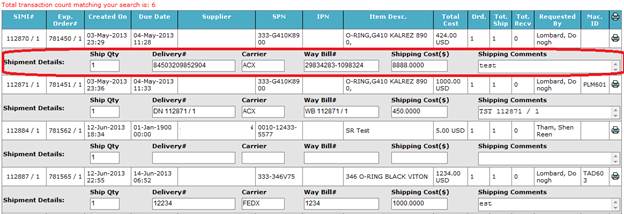
b. For other status you will be shown
with shipment details.
4. Search Results are limited to 100
records only on screen and up to 5000 records you can export to excel. You need
to refine your search criteria’s when number of records is more than 5000.
5. Click on Print icon at record level
to print an Expedite Order Shipment.

6. To print all expedite order shipments
which displayed on screen, click on Print icon at header level.

7. Click on Reset button to reset your
search criteria’s and search results.